Free for business use
No licence and no session limits. Helping paying customers is allowed.
Workspace Remote assist is a free alternative to TeamViewer for attended support, including business use. You see the customer’s screen, talk by voice and chat, and you can control the mouse and keyboard after they approve it. TeamViewer is the better choice for unattended access, file transfer and mobile control.
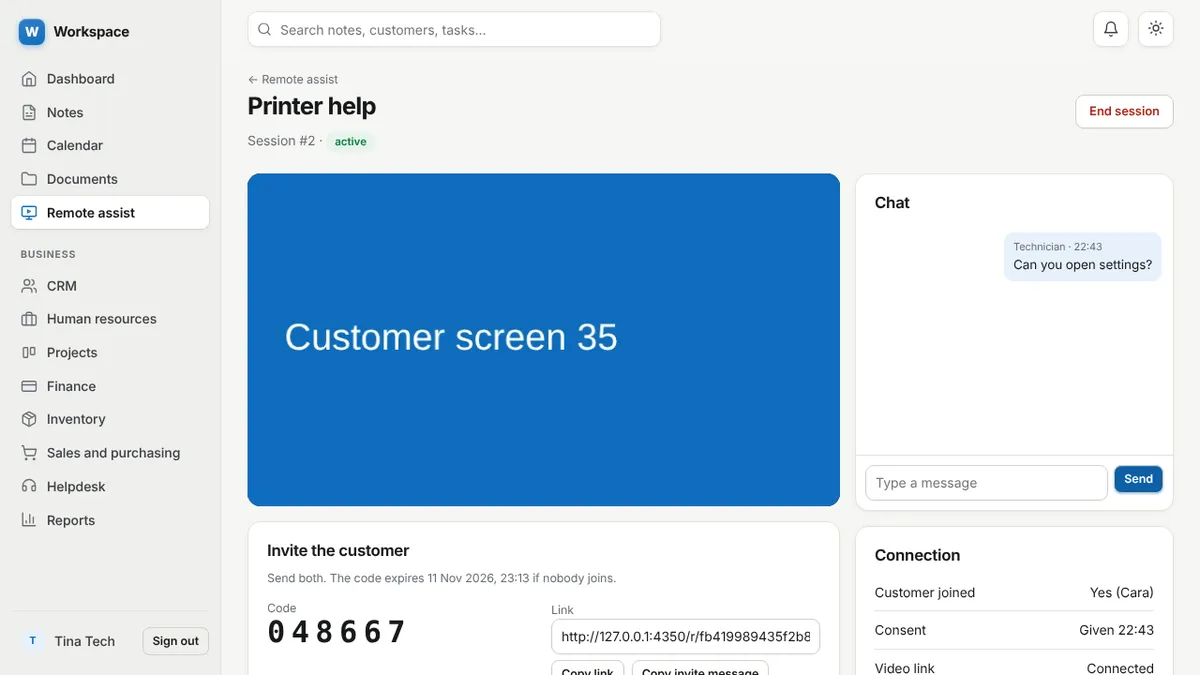
No licence and no session limits. Helping paying customers is allowed.
They open a link, enter a 6 digit code and press Allow. Viewing needs nothing installed.
Talk while you work, and chat when a microphone is not possible.
Windows, macOS, and Linux with X11. The customer runs a small helper that installs nothing and stops when they close it.
Work on their screen at full size.
Helpdesk tickets, customers and invoices sit in the same free account.
| Feature | Workspace | TeamViewer |
|---|---|---|
| Price for business use | Free | Paid licence (free use is for personal use only) |
| See the customer’s screen | Yes, in the browser | Yes |
| Control mouse and keyboard | Yes, Windows, macOS and Linux X11, with approval (beta) | Yes |
| Voice during the session | Yes | Check their site |
| Start without an account | Yes, for viewing | Check their site |
| Unattended access | No | Yes |
| File transfer | No | Yes |
Choose TeamViewer if you need to reach computers when nobody is there, move files, control a phone or server, or need a signed and long established product. Workspace fits attended support where the customer is at the computer and you do not want to pay per technician.
TeamViewer is a trademark of its owner. This page is an independent comparison; check their site for current features and pricing.
Yes. Workspace Remote assist is free for business use. TeamViewer says its free version is for personal use, such as helping relatives, and that connecting to clients’ devices counts as commercial use.
Not to share a screen. For mouse and keyboard control they run a small helper program for Windows, macOS or Linux. It installs nothing and stops when its window is closed.
No. Every session needs the customer to open the link and press Allow. That is deliberate.
Sign up with an email address. Every module is ready.