Notes
Rich text and Markdown notes with autosave, nested folders, tags, pins, favorites, archive, trash and sharing with view or edit access. Export to Markdown or PDF.
Workspace is free business software for freelancers and small teams. It has notes, CRM, HR, projects, invoicing, inventory, a helpdesk, documents and remote screen support, with no plans, no limits and no card.
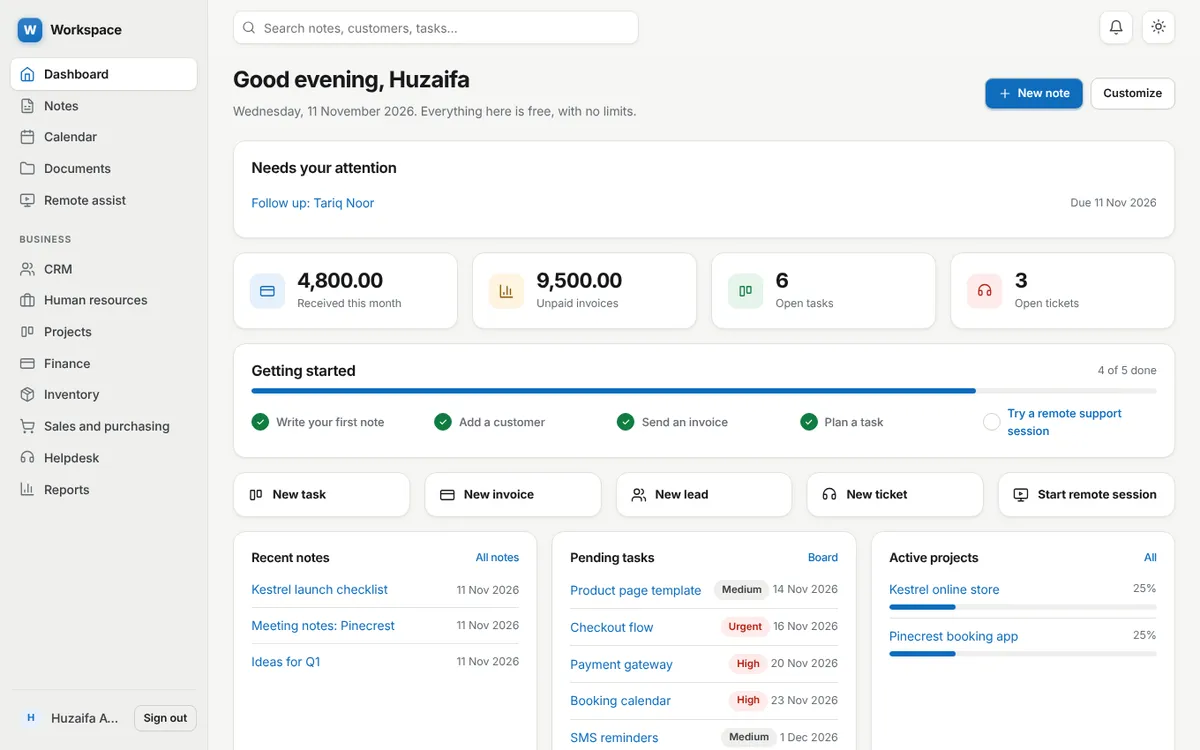
Eleven modules share one account, so a customer, an invoice, a task and a support ticket all link to each other.
Rich text and Markdown notes with autosave, nested folders, tags, pins, favorites, archive, trash and sharing with view or edit access. Export to Markdown or PDF.
Leads, contacts, companies and deals on a kanban pipeline, with follow up reminders and a history of calls, emails and meetings.
Employees, departments, designations, attendance, leave requests with approval, a holiday calendar, payroll records, performance reviews and employee files.
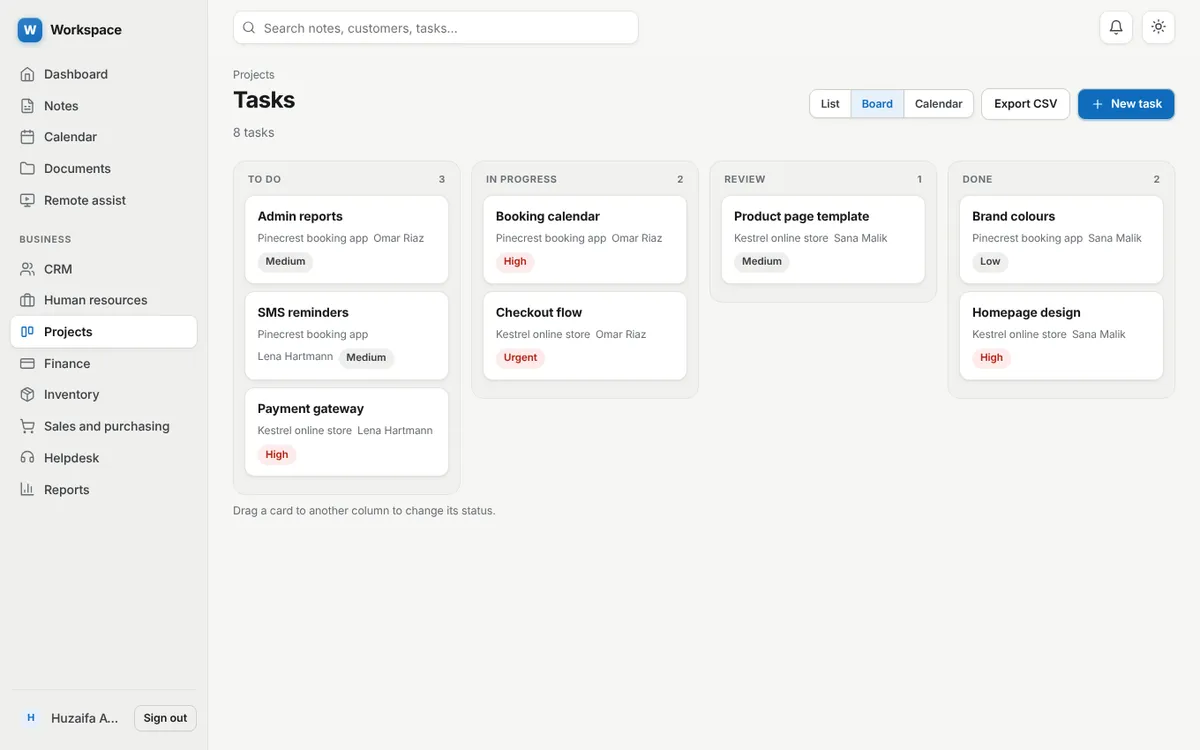
Projects with tasks and subtasks, assignees, priorities, deadlines, kanban and calendar views, comments, file attachments, progress and time tracking.
Invoices with line items and tax, bills, payments, income and expenses, tax rates, and printable invoices you can save as PDF.
Products, categories, warehouses and stock movements. Receiving a purchase order adds its products to stock, and low stock shows on your dashboard.
Customers, suppliers, quotations, sales orders and purchase orders with status tracking.
Support tickets with priorities, assignees, customer replies, internal notes, resolution times and a knowledge base.
Folders, uploads, previews, version history and share links that expire.
See a customer’s screen with their permission. They open a link, enter a 6 digit code and choose what to share. Nothing to install.
Profit and loss, cash flow, expenses, unpaid invoices, sales, pipeline, stock, headcount, leave, projects and helpdesk. Export CSV or print to PDF.
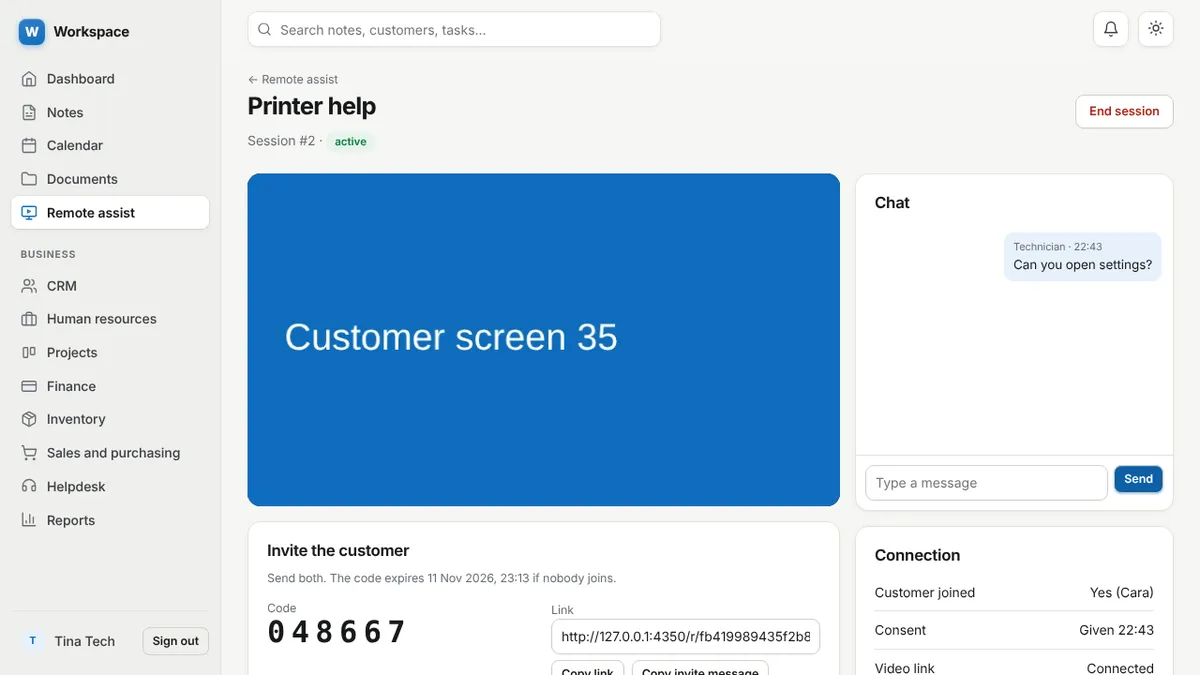
The customer opens a link, enters a 6 digit code, reads what will happen, agrees, and then picks one screen, window or tab to share from their browser.
Create a session, send the link and code, and watch the shared screen live in your console. Talk by voice, chat on the side, open their screen full screen, check the connection status, and end the session with one click. Every step is written to the audit log.
Nothing is installed. A red banner shows while sharing is on, and the customer can stop sharing or end the session at any time. Sessions expire on their own.
Open the free screen sharing page, type your name and send the link. View only sessions need no account. The ERP, notes and documents keep their sign in, because they hold private data.
A signed-in technician can control a Windows, macOS or Linux (X11) computer when the customer shares their entire screen, runs a small helper program and approves it twice. This is in beta. There is no unattended access and no file transfer. Read more in How to give remote support without installing software.
Yes. Every account gets its own workspace, and the server checks every read and write against it.
Passwords are hashed, every form carries a CSRF token, sign in attempts are rate limited, uploads are checked by type and content, and note text is cleaned so it cannot carry scripts. Administrators manage accounts and settings through an audit logged control panel.
Yes. Every module is free for every account. There are no plans, no premium features, no usage limits and no upgrade prompts.
CRM, human resources, projects and tasks, finance and invoicing, inventory, sales and purchasing, helpdesk, documents, a calendar, reports and a notes app, all in one account.
Only if you allow it. By default the technician just sees what you share. You can run a small helper and approve mouse and keyboard control for a signed-in technician, and stop it at any time.
Not for screen sharing. Anyone can start a view only session with just a name. The ERP, notes and documents need a free account because they store your private data, and so does remote control.
Not to share a screen. The customer opens a link in a desktop browser, enters a code and agrees. Only mouse and keyboard control needs a small helper program, available for Windows, macOS and Linux.
Only you. Each account has its own private workspace, and the server checks every request against it. Notes stay private unless you share one with a specific person.
Yes. Every list exports to CSV, notes export to Markdown and PDF, and invoices, quotes and orders print to PDF.
Built by Huzaifa Awais. See the project case study for how it is built.
Sign up with an email address. Every module is ready.